
关于centos6系统无法更新yum的解决办法
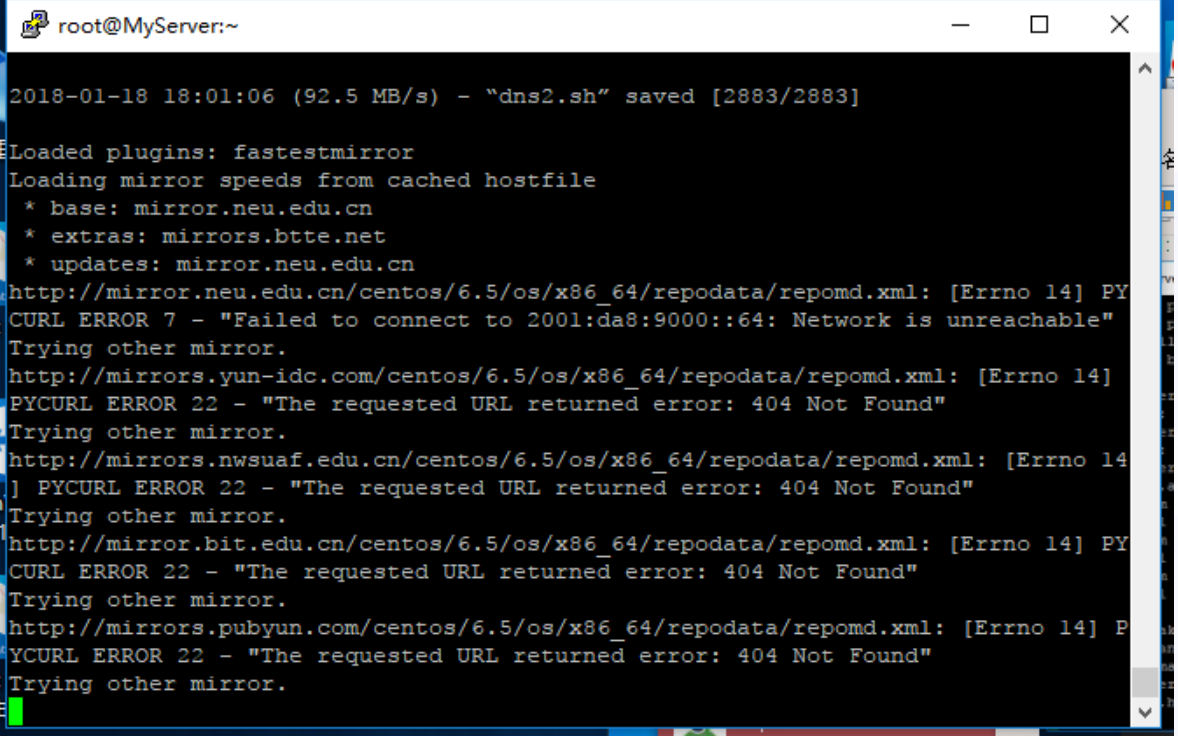
| http://mirrors.hust.edu.cn/centos/6.5/os/x86_64/Packages/dhcp-common-4.1.1-38.P1 .el6.centos.x86_64.rpm: [Errno 14] PYCURL ERROR 22 - "The requested URL returned error: 404 Not Found" Trying other mirror. |
今天使用centos6.5 64 系统安装系统服务提示一直无法获取yum更新
解决办法如下:
[1] 首先备份/etc/yum.repos.d/CentOS-Base.repo
- mv /etc/yum.repos.d/CentOS-Base.repo /etc/yum.repos.d/CentOS-Base.repo.backup
[2] 进入yum源配置文件所在文件夹
- cd /etc/yum.repos.d/
[3] 下载163或者阿里云的yum源配置文件,放入/etc/yum.repos.d/(操作前请做好相应备份)
163:
- wget http://mirrors.163.com/.help/CentOS6-Base-163.repo
centos5:
- wget -O /etc/yum.repos.d/CentOS-Base.repo http://mirrors.aliyun.com/repo/Centos-5.repo
centos6:
- wget -O /etc/yum.repos.d/CentOS-Base.repo http://mirrors.aliyun.com/repo/Centos-6.repo
centos7:
- wget -O /etc/yum.repos.d/CentOS-Base.repo http://mirrors.aliyun.com/repo/Centos-7.repo
[4] 运行yum makecache生成缓存
- yum makecache
[5] 更新系统
- yum -y update